Item List Name not reflecting the page actually viewed.

We have items that belong to several categories and we would like to be able to build reports in GA4 that show which category page (item_list_name) results in more add to carts, checkouts and purchases. However, the item_list_name that is displayed in the dataLayer during checkout seems to be a constant and therefore does not reflect the journey through the site. For example, an item is added to cart from the Gifts/Gift Baskets page but once it is added to the cart, the item_list_name is changed to Chocolate/Chocolate Bars and Snacks. This continues through the checkout process so the "credit" for the purchase is attributed to the incorrect category page.
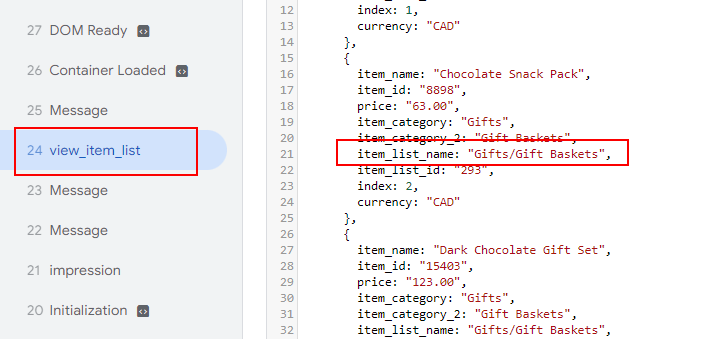
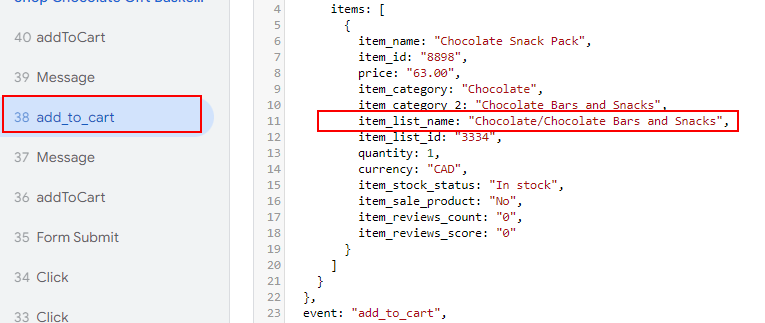
How do we fix this so that the add to cart to purchase reflects the page that started the purchase instead of a preset value? Has anyone encountered this and found a way to fix it?
Please sign in to leave a comment.
Comments
0 comments