Removing elements from Quickview Extension

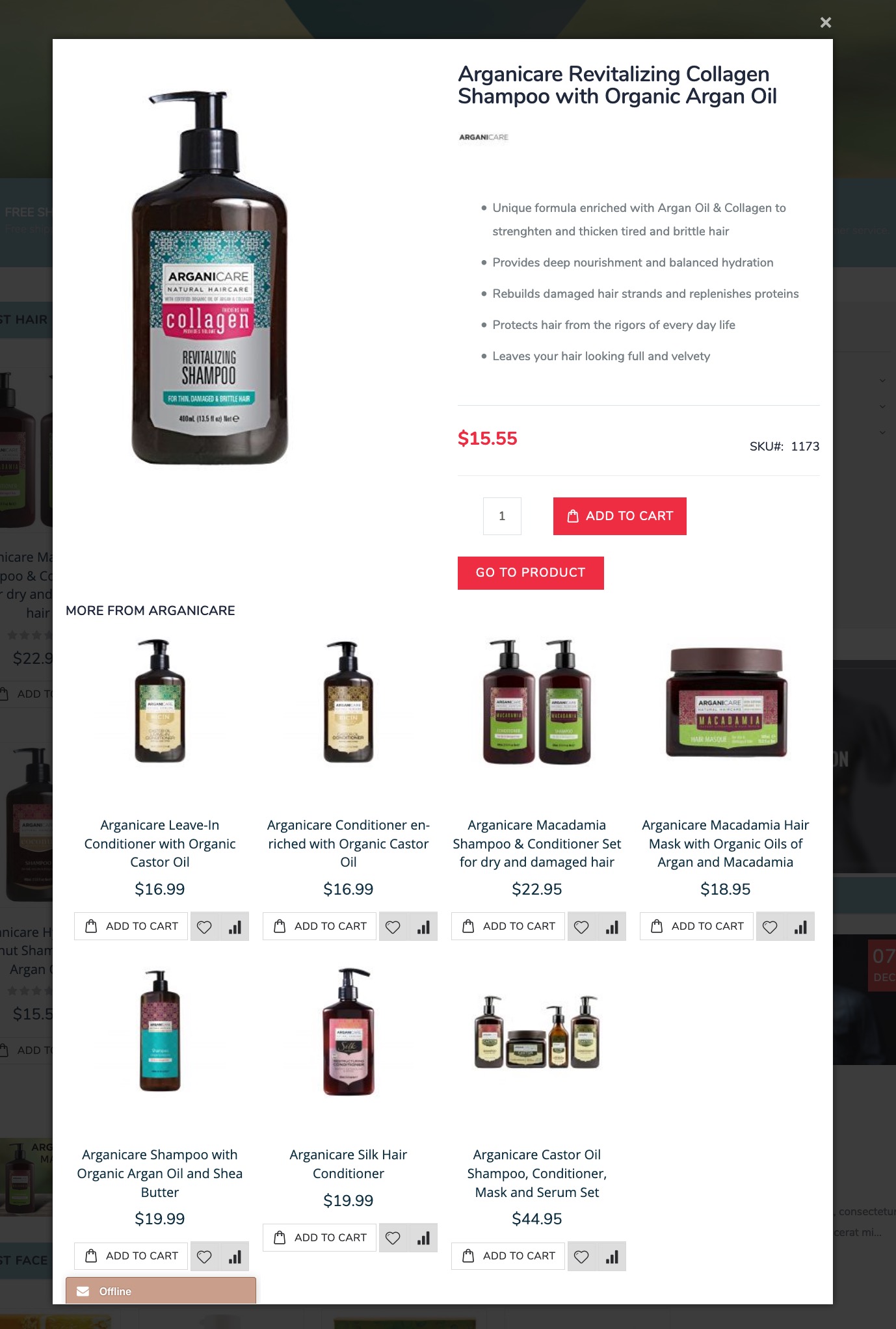
I have a number of modules including a livechat and a "More From this brand" extension that are filing up my quickview box and I'd like to get rid of them. My quickview is a bit of a mess!
Where do I go to customize the contents of the quickview extension box to remove these elements and tidy things up?
-
Official comment

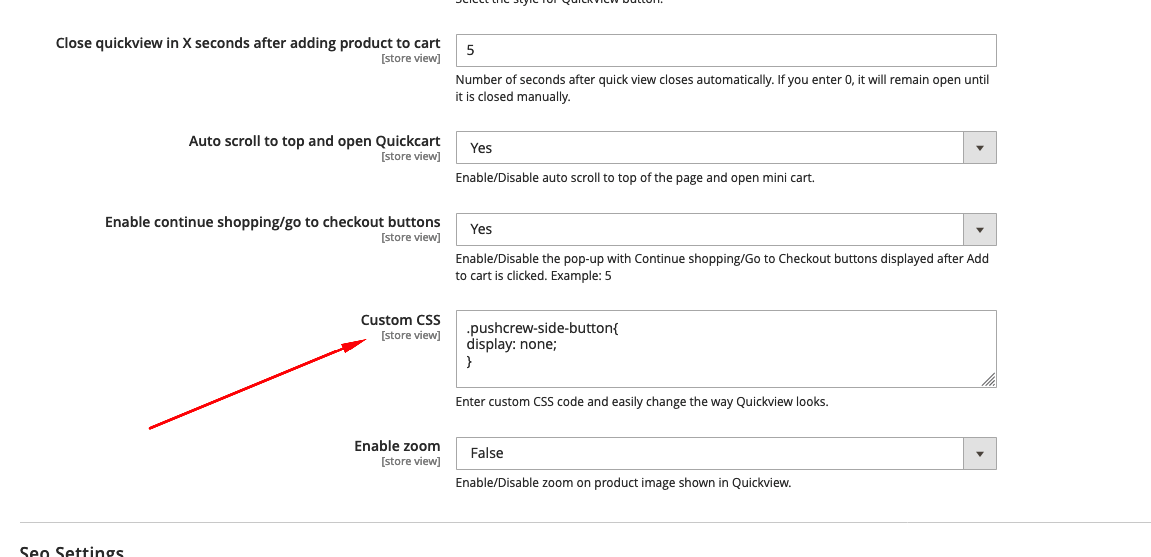
Go to QuickView Settings in Magento admin, you will find Custom CSS field where you can add the customizations. Target the elements you need to hide and add them to this section. Clear Cache. That should do it.
 Comment actions
 -
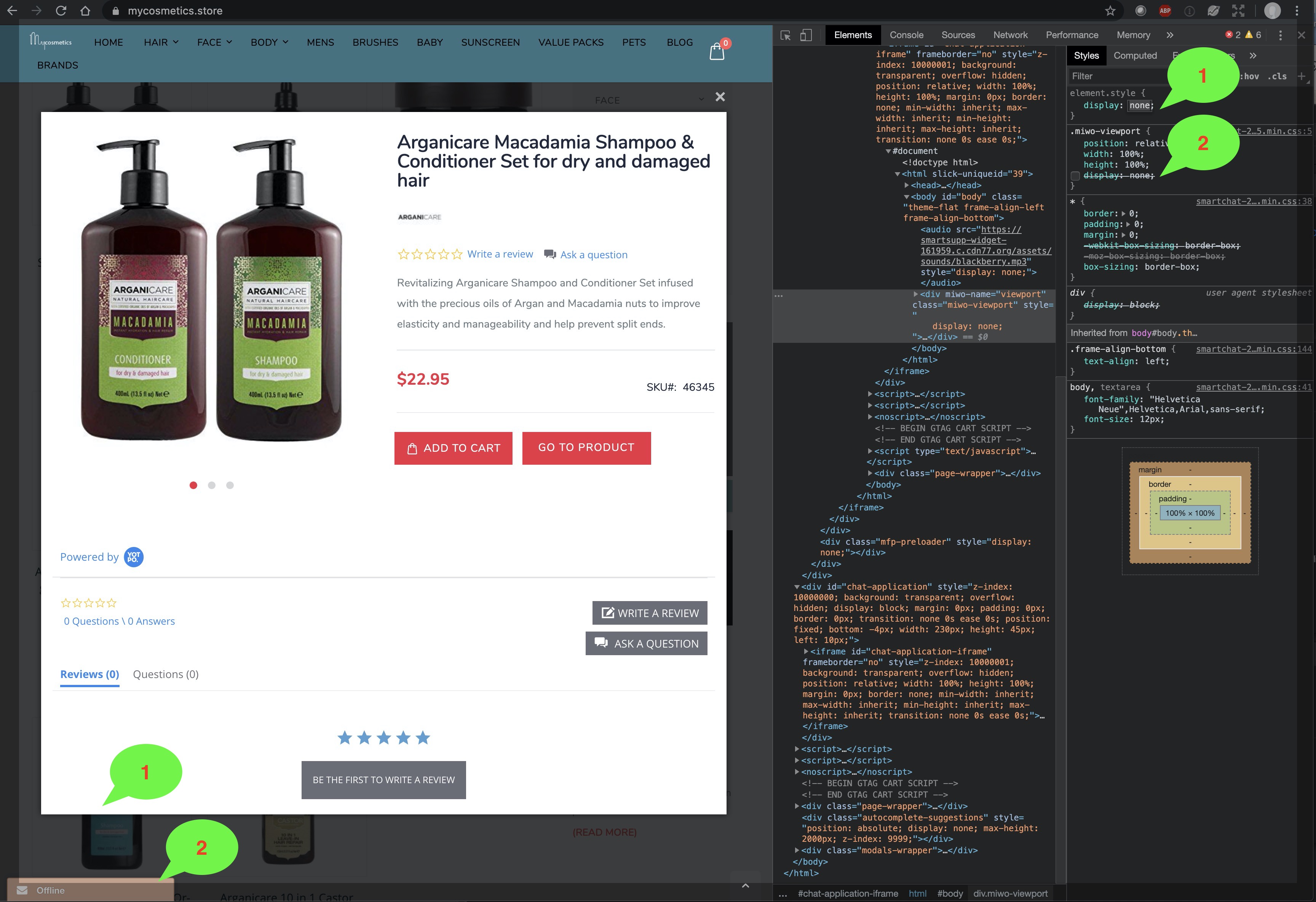
Thank you so much, that has really helped and I've managed to tidy up most of the problems. The one that remains is that the chat box button is appearing twice... once in the bottom left of Quickview and again in the bottom left of the browser window. In the image below, if I put display:none at position 2, then both of the chat box buttons disappear. If I put the display:none at position 1, then it works fine but how do I reference this specific element.style correctly in the Quickview custom css so that it only affects the button in the quickview window?
Please sign in to leave a comment.
Comments
2 comments